
 Welcome to the Chronoplex Software Blog
All the latest news and information from Chronoplex Software.
2024
����My Family Tree 14.1 now available
Today we are excited to announce the release of My Family Tree 14 available now from the latest updates page.
This release contains several new features and changes in the following areas:
- Gallery views for multimedia
- Image adjustments
- Grouping and filtering multimedia
- Slideshows
Gallery views for multimedia
Traditional multimedia galleries use the same size back plate for all images. However, this has inevitable trade-offs when multimedia has a mix of sizes. The new gallery view maximises the use of space and provides greater clarity.

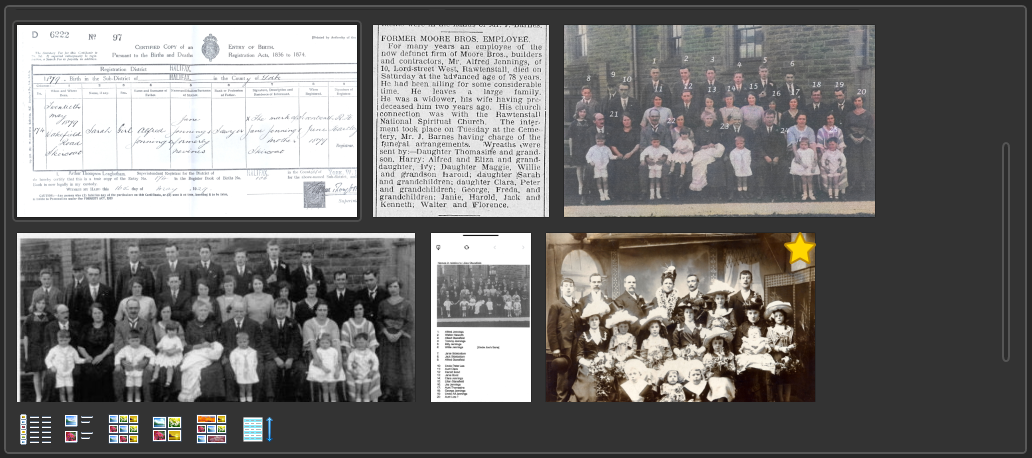
Image adjustments
In this release, a temperature and tint image adjustment option has been added. This is useful for restoring faded / yellowed papers. In addition, all existing image adjustments are now rendered using the GPU for additional speed (thanks to ComputeSharp).

The process of cropping images has been enhanced with guidelines to help you judge the best crop position.

Grouping and filtering multimedia
Additional filters and grouping options have been added to help
you locate specific files. You can now type
extension: or media
type: followed by a file extension of media type to filter
specific file types or extensions. To view all available filters,
and examples of how to use them, check out following
help page.

Slideshows
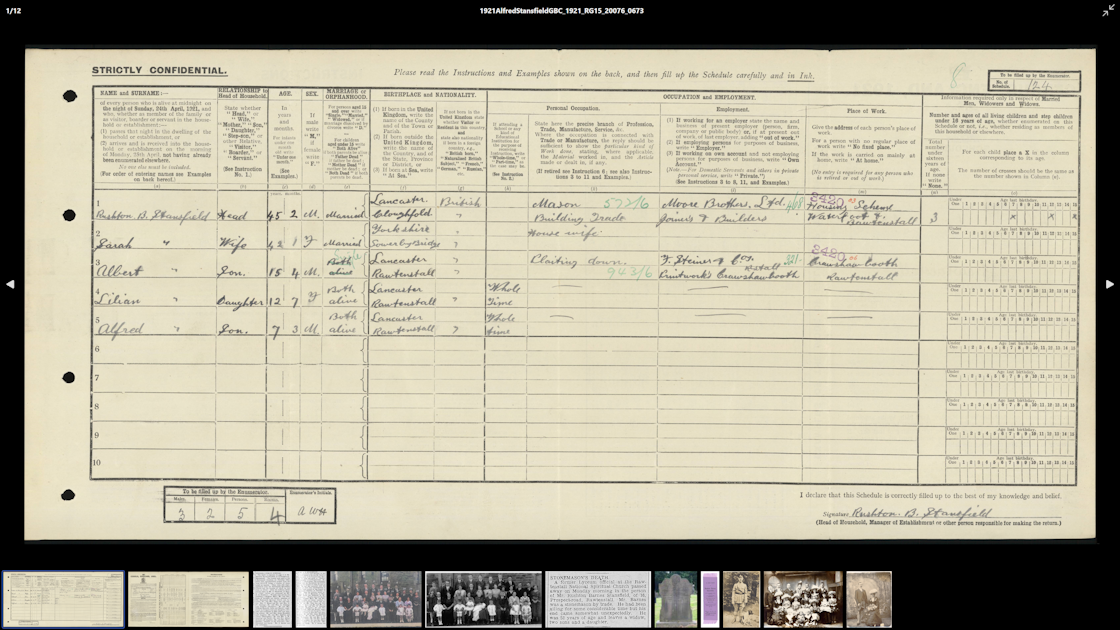
The slideshow view has been redesigned to include a thumbnail strip. You can also customise what is included in the slideshow view by applying a filter to the multimedia list before displaying the slideshow.
Other notable improvements
- This release is the second to use the modern .NET Desktop Runtime, following the initial release in November 2023. You will find that this update brings further performance enhancements to the application.
- We continue to support the new GEDCOM 7 and GEDZIP formats as these begin to see wider use in genealogy apps and services. Minor refinements have been made to take account of the ongoing development of GEDCOM 7.
- You can now describe multimedia as online or digital.
- A new section has been added to the discrepancy report to check for people born after their spouse died.
- You can now double click on a person in the relationship calculator and navigate to them in the charts.
- All place fields now support the same editing experience.
Community translations
My Family Tree is available in over 30 languages spanning every continent in the world. Over 60 users have helped to translate My Family Tree, whilst also engaging with the development team to ensure that local specific grammar is handled correctly. As new features are added, inevitably, translations become less complete, but most languages require only minimal work to complete. If you can help, check out the Localisation Toolkit or get in touch.
Upgrading from earlier versions
My Family Tree requires the Microsoft .NET Desktop Runtime 8.0
or later which is supported on Windows 11, and Windows 10 (20H2
and later).
Users of the Microsoft Store version of My Family Tree will automatically
receive the update. For all other users the new version is
available now
 .
.
Published 13 Jul 2024 13:00
