
Replace or Merge 
Sometimes you will find you have created two individuals in your family tree which later turn out to be the same person. You can use the replace or merge tool to handle this and avoid the need to manually transfer information between individuals or delete part of a tree and start over.
To begin, find one of the duplicate individuals in the chart. Right-click them and select "Replace or merge person".
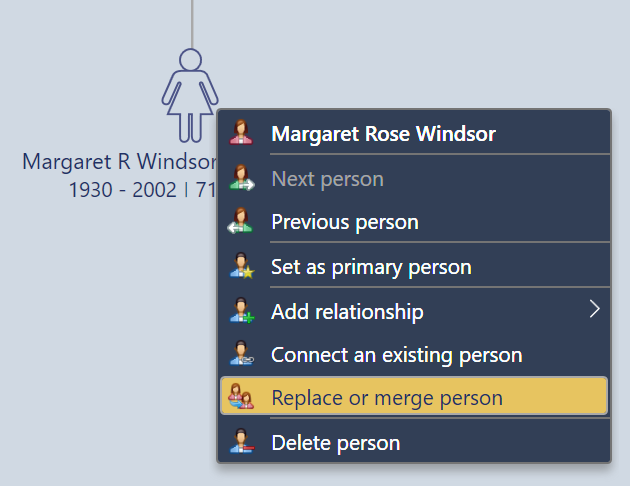
Fig 1. Beginning a replace or merge operation.
Once the process starts, you will be presented with a list of all plausible duplicate records sorted according to the quality of the match. Matches are based on the person's birth, death, and name information. If you cannot find the correct match, and you are sure that a duplicate exists, you can check "Show all" to select any other individual in the tree. If you wish to swap the order of the replacement, check "Swap order".
You can choose to:
-
Replace all information in the existing item with the duplicate person you selected from the list.
-
Merge all information and relationships from the duplicate item which are not already present in the existing item. Choose this option if you have lots of information in both records.
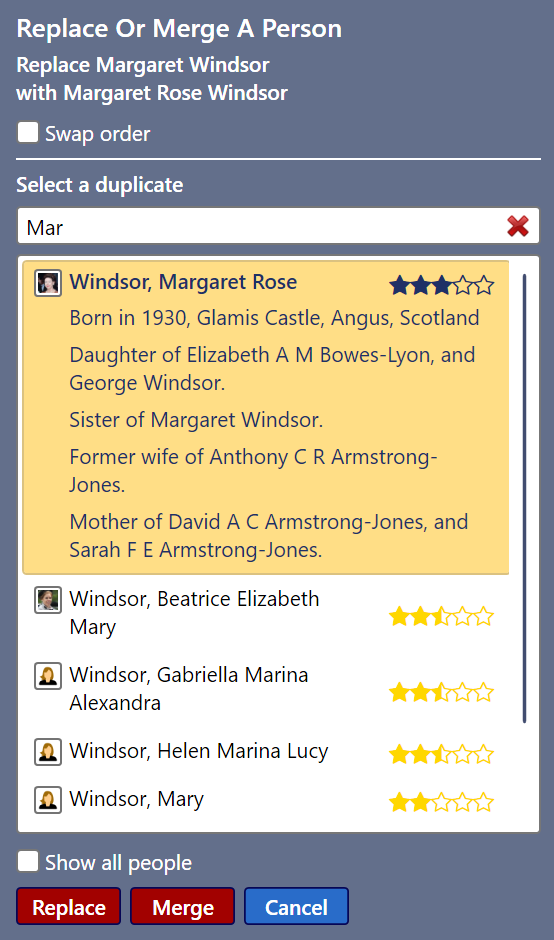
Fig 2. Selecting the correct duplicate.